
How I plan shoots with a time limit
If you ever film with an athlete, this one is for you.
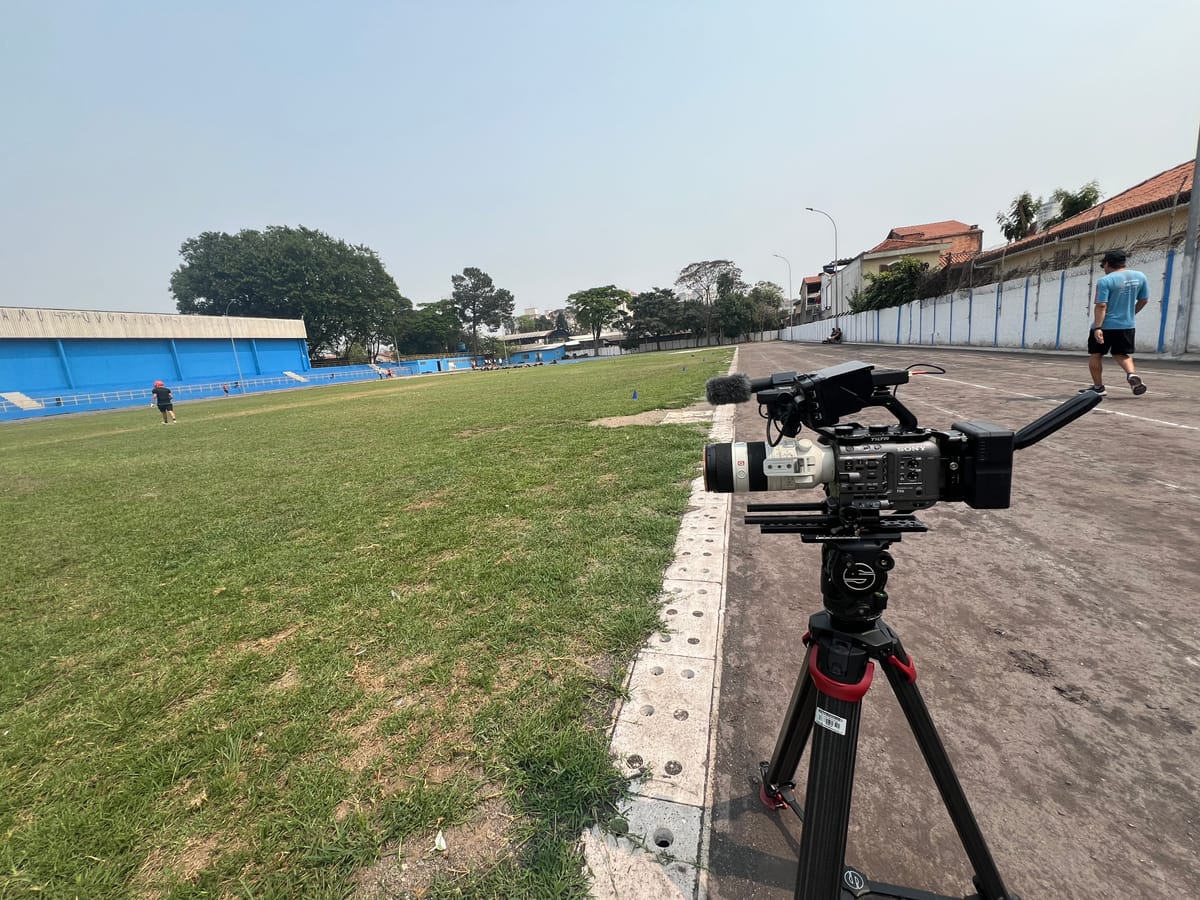
If you ever film with an athlete, this one is for you. At the end is a downloadable excel.
Somewhere along the line, the team and I got really good at capturing everything we were assigned to capture quickly and efficiently. This was great news; we were tight, effective, and could make up time on the schedule.
The bad news? When people saw that we were so tight and effecient, that meant we could capture more and more content while simultaneously being given less and less time.
Shit.
So in this breakdown, I'm going to talk about how I plan for a shoot that has a strict time limit, how I preplan for chaos and changes, and how going in with an editor's mindset helps me make key decisions on the fly.
A typical athlete shoot for me looks like being given a discrete chunk of time that the athlete will be on set. Could be 3 hours, could be 30 minutes, but this is usually defined very early in the process, along with the creative content.
From here, I do my shot list breakdown, generally in excel. This is a mix of discrete shots that are called out in the creative (close up of athlete looking at camera) and shots that I think would boost the creative or help in the edit (insert shot: ball going through net).
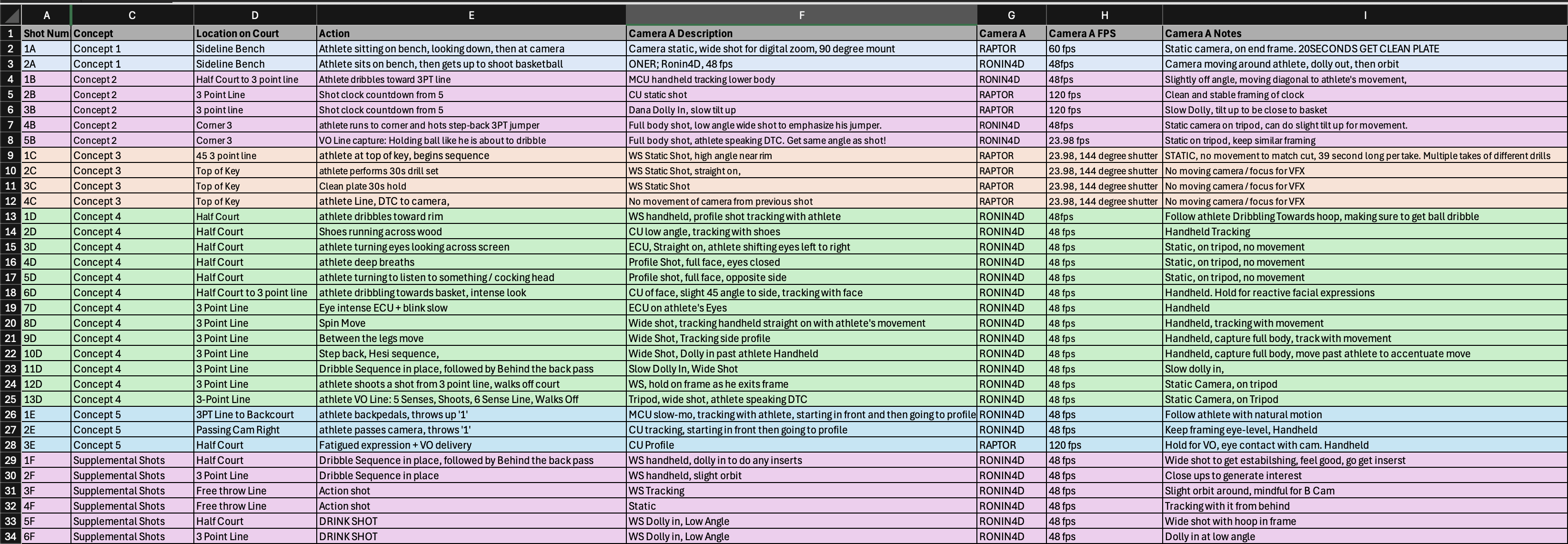
I typically break out my shotlist so that it looks like the following, broken up in to concept, shot type, and any particular notes. I also assign it an alphanumeric shot number based on concept, so that the first shot of the first concept is 1A, and the first shot of the second concept is 1B; this way everyone knows what shot and concept we are talking about.
Below is an example of a shot list I made from a previous production, with the concepts renamed for privacy.
Once I have my shotlist, I then make my accompanying one-page guide for producers or crew to reference throughout the day. Here, I break down the concept into its simplest components, and layout what producers/first AD's need to know: wardrobe, location, and props.

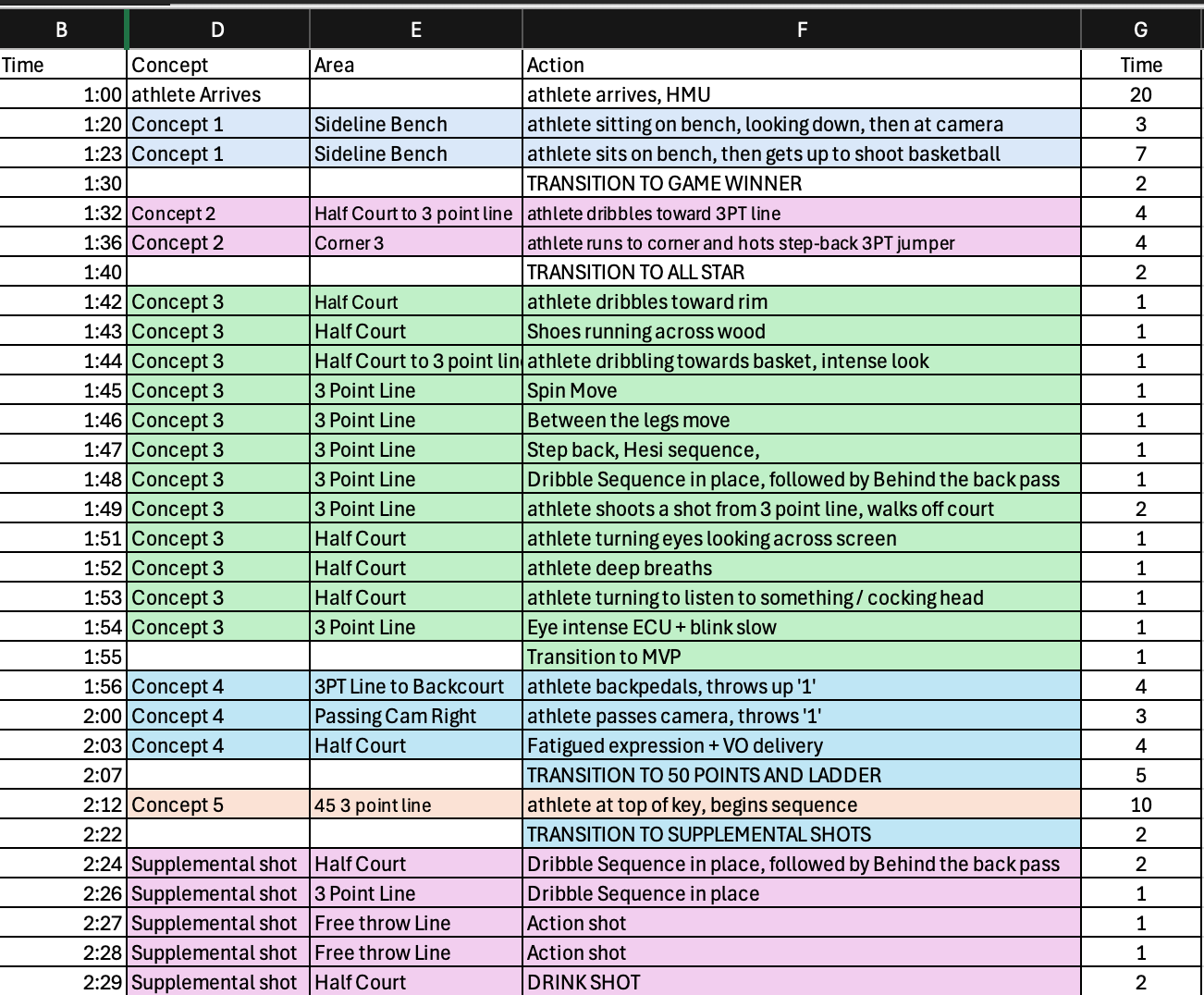
Now that I have both my shotlist made and my one-page guide, I start to think about my time-limits. I make a new column that is time needed to capture each shot. This is the absolute max amount of time I need to make sure that I can get what I need.
If it's a speaking line, how much time do you usually list?
I read the lines out loud and time myself. Then I take that time and multiply it by 3; that way I have time for two good takes, and one bad take.
If the line read is long or there isn't a teleprompter, I add 30 more seconds per 15 words.
How do you account for transition time between shots?
I put it in as a new row, that says transition time. This way, I'm accounting for all time that my shots will take. Transition time, whether it's for lighting, sound, or just moving cameras, is a hidden time suck, meaning that it is time that usually isn't accounted for. You'll always be behind if you don't account for your transition time: every second counts.
How do I know I listed enough time?
It's about visualizing the moment; think of all your shots as needing two good takes minimum. If it went perfectly, how long would it take to capture? If it went terribly, how much time or how many takes do you think you'll need to get it?
Generally, I take the average between those two scenarios, especially if the shot is an athlete doing an sport-specific action or skill. Why? Because it'll insulate you throughout the day. Some takes will go perfect and will allow you to get ahead. Some takes will be terribly, and go behind. But they eventually will average out.
I once had an athlete miss 5 three-pointers in a row, my absolute worse case scenario. We ended early because he nailed his speaking lines.
Why is this helpful?
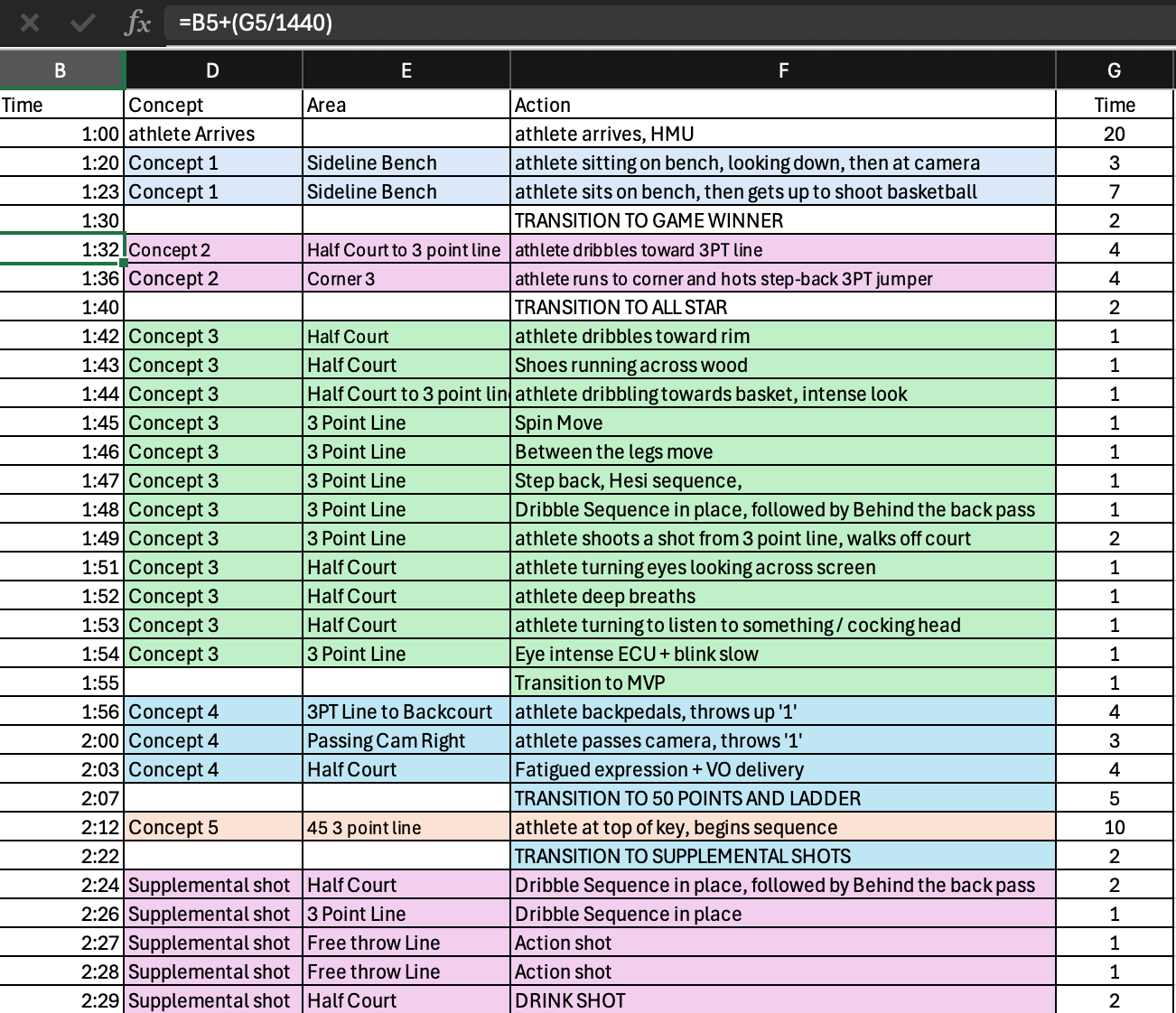
Imagine you passed this excel along to the 1st AD, where each shot is listed out with the exact time you needed to capture each shot. Suddenly, decisions become a lot easier. We can adjust schedules, move around things, and make decisions with the full knowledge of the consequences of our decisions.
Likewise, if you're producing shoots on your own, all you need to do to make a schedule is to add a simple excel function, and you have a schedule that updates whenever you make a change to the time.
For athletes, time is precious. Being tight with your time in preproduction enables you to make better decisions during production.
Want the free excel template? Simply signup for our email list, where we send free production tools and guides every week.


Comments ()